 to measure the angle formed by the intersection of two lines in an image.
Use the Bearing Tool to measure the angle formed by the intersection of two lines in an image.
To measure an angle:
.
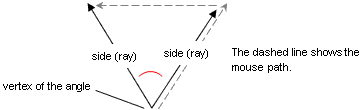
The measurement appears on the Status Bar and in the Image window.