Measuring elevation without elevation data
The Measure XYZ Coordinate Tool  allows you to measure elevation (the Z coordinate) without using elevation data. It is useful when elevation data may not be the most current; but the real benefit in measuring with this tool is that you can measure elevation anywhere above the ground. This tool also gives you the longitude and latitude (X and Y).
In the following procedure, you'll split the Image window and measure by clicking corresponding points in two side-by-side images.
To measure slope plus elevation:
- Click Dual Pane Mode
 .
.
The Image window splits into two, showing the current Oblique image on the left and the corresponding Ortho image on the right. The images are synchronized geographically, so if you pan one image, the other pans also. The Sidebar and the Navigation window are temporarily hidden from view.
NOTE: If a map is in view when you split the screen, the Imaging application displays an Oblique image in the left pane and the corresponding Ortho image in the right pane. (You cannot measure elevation on a map.)
The right window has a toolbar with four navigation buttons: Get next image, Get previous image, Rotate Image Clockwise, and Rotate Image Counterclockwise. The image capture date, level, and orientation are shown below the image.
- (Optional) To view a different image in the right pane, click Get next image or Get previous image; or click one of the two rotation buttons to view the image from a different direction.
TIP: Viewing an Oblique image in the right window also yields good results. You might need to view a few different images to find the one that allows you to most accurately click the same point you clicked in the left window.
- (Optional) Pan or magnify the image to locate the point you want to measure elevation for.
- Click Measure XYZ Coordinate Tool . The Image window splits into two, showing the current Oblique image on the left and the corresponding Ortho image on the right. An instructional dialog appears briefly and the cursor changes to a crosshair.
- In the left image, click the point you want to measure the elevation of. A small red crosshair marks the point, and an instructional dialog appears briefly.
- Click the corresponding point in the right image. A dialog shows the resulting measurements.
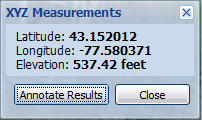
- To annotate the point with a balloon marker, click Annotate Results, otherwise click Close.
- Close the right pane by clicking
 or by clicking Dual Pane Mode again.
The Sidebar and Navigation window are redisplayed.
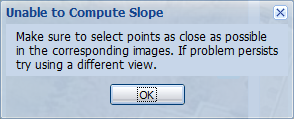
If while measuring you see the following message, you might need to select a different Oblique image or magnify the Oblique before you start measuring, so you can select corresponding points that are as close as possible.