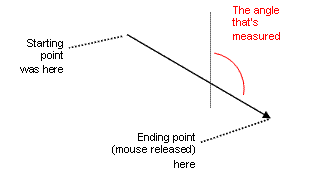
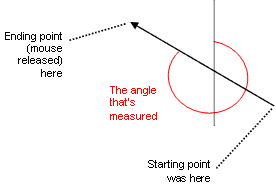
 to measure the bearing of a line in an image. How
you draw the line is important, as shown in the following illustrations:
to measure the bearing of a line in an image. How
you draw the line is important, as shown in the following illustrations:Use the Bearing Tool to measure the bearing of a line in an image. How
you draw the line is important, as shown in the following illustrations:

To measure bearing:
.